今天,在豆瓣看到一篇文章,受到该文章的启发,我知道一个简单的方法来清理微信中无效的好友,
日记标题是小语种字符,微信发送这个字符,程序会发生字符渲染失败,发得出去,但对方收不到。
从这段话可以看出,我们可以利用标题中的小语种字符来检测微信好友的状态,闲话少说,直接上python。
1
2
3
4
5
6
7
8
9
10
11
12
13
14
15
16
17
18
19
20
21
22
23
24
25
26
27
28
29
30
31
32
33
34
35
36
37
38
39
40
41
42
43
|
'''
@author: haffner2010
@contact: myprojtest@163.com
@Software: Pycharm + Python3.6
@OS:Windows 10 64 bit
@Site:https://allbluelai.github.io
@file: wx_delete_friend.py
@time: 2018/9/11 19:05
@desc:清除微信中无效的好友
'''
from wxpy import *
from time import sleep
from functools import reduce
bot = Bot(cache_path=True)
bot.file_helper.send('hello world!')
friends = bot.friends()
friends.pop(0)
except_list = ['user1','user2']
if except_list:
except_friends=list(map(friends.search,except_list))
except_friends = reduce(lambda x, y: x+ y, except_friends)
else:
except_friends=[]
print(except_friends)
for friend in friends:
if friend not in except_friends:
try:
friend.send('ॣ ॣ ॣ')
sleep(2)
except exceptions.ResponseError as e:
bot.file_helper.send(f'{friend}:{e}')
embed()
|
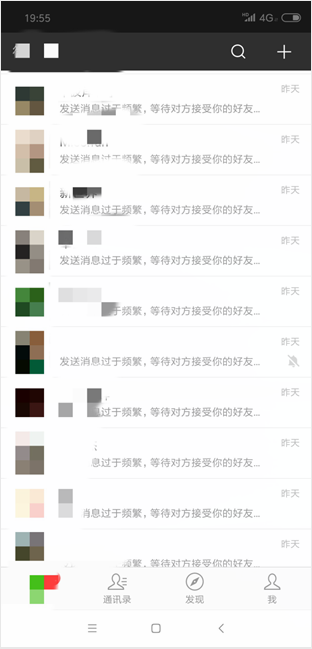
代码很简单,我就不再赘述,直接看效果:
被对方拉黑与被对方删除
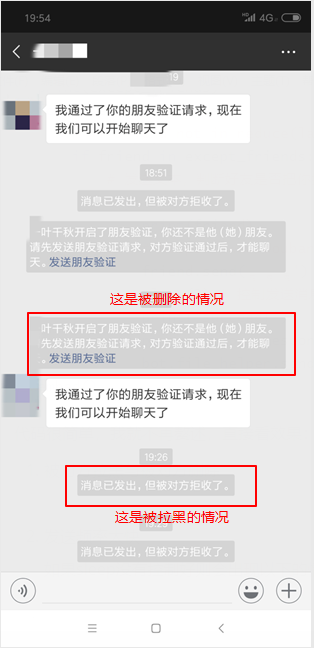
这个信息可以在微信的界面上看,如果收到信息,则说明你可能已经被拉黑或者被删除了。
发送频率太快
如果sleep没有控制好则会出现以下的情况,这种情况下,我也不清楚消息是否发出了。所以,限制一下sleep比较好。